Support,
from the person who built it
Common fixes below, and the user guide covers the whole app. If none of it helps, email goes straight to the developer.
Help topics
The four things people ask about most.
Getting started
- Download GYST from the App Store (iPhone and iPad, iOS 15.1 or later)
- Sign in with Apple, or create an account with an email address
- Photograph a few clothes you actually wear each week
- Open the GYST tab for a suggested outfit built from them
Your account and data
- There is nothing to subscribe to and nothing to cancel
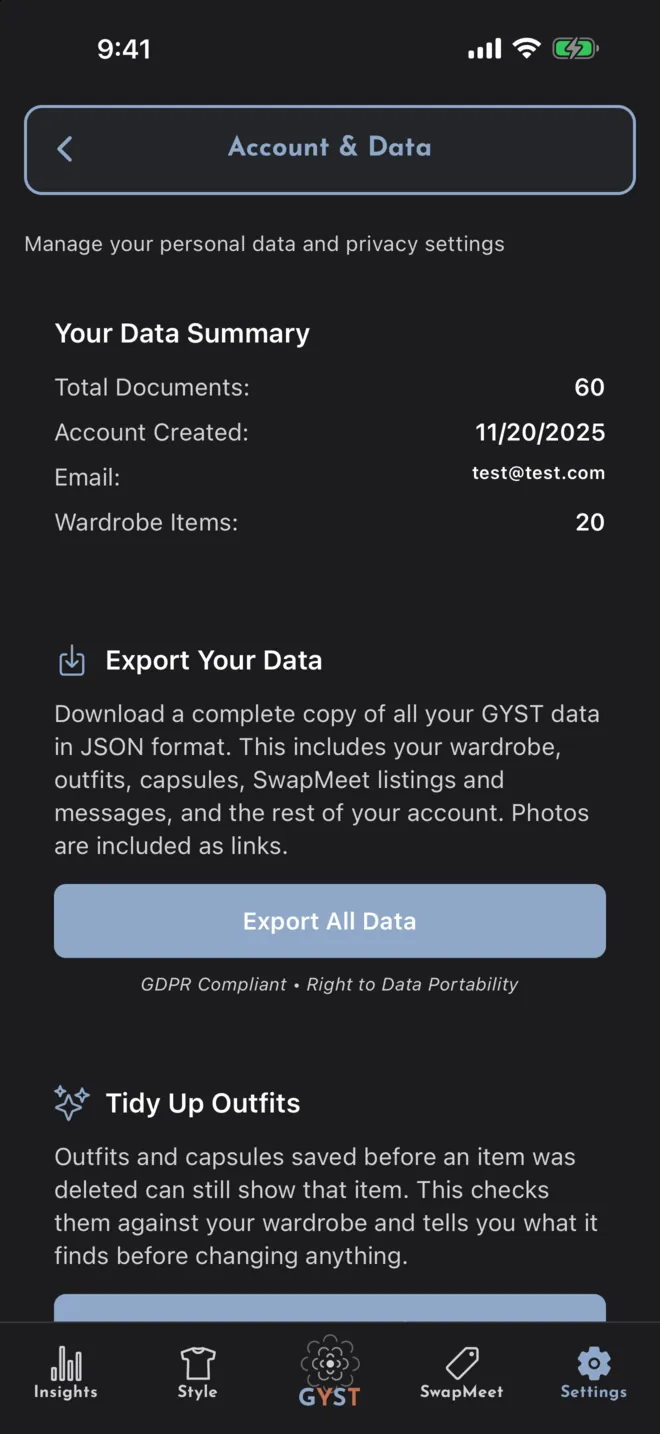
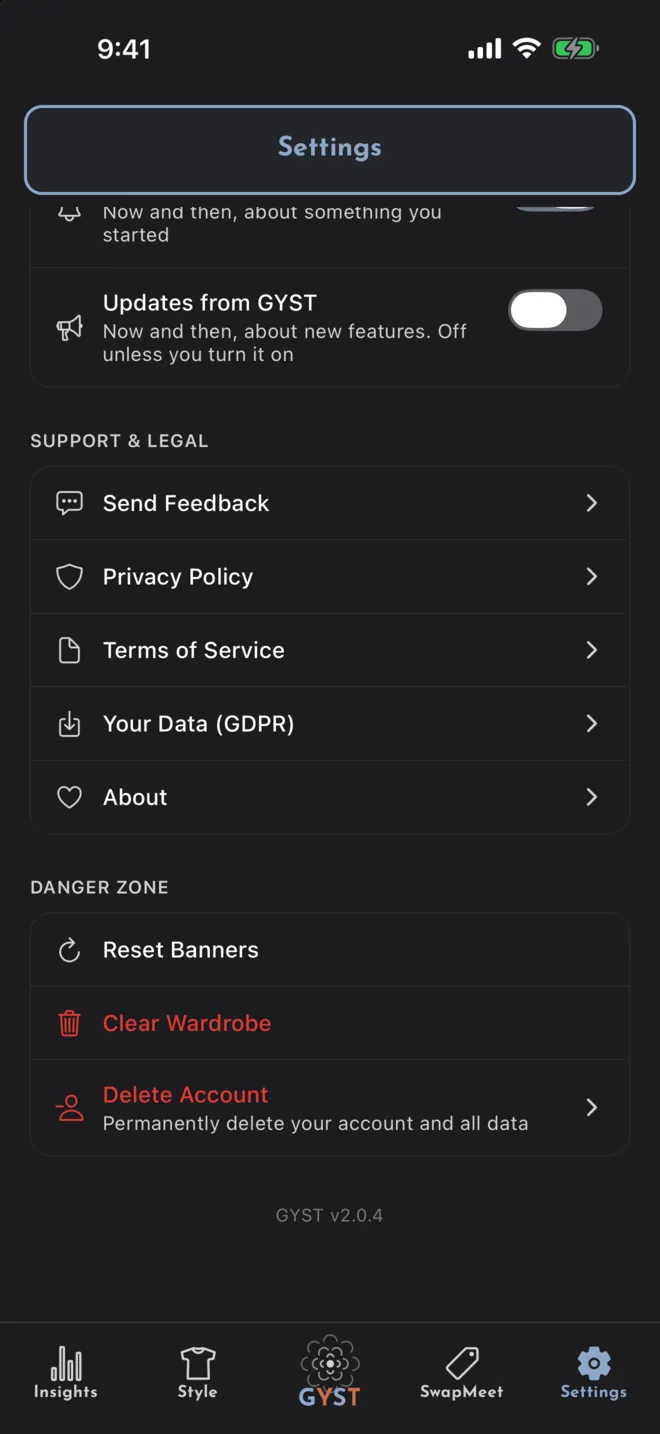
- Export a copy of your data from Settings, under Your Data (GDPR)
- Delete your account, data and photos from Settings, under Danger Zone
- Send bugs and requests from Settings, under Send feedback
Wardrobe
- Add items from the camera or your photo library
- Tap AI Identify to have the details filled in, and correct any of it
- Turn background removal on or off in Settings
- Group items into outfits, or into a capsule for a trip or a season
SwapMeet
- Browse listings from people near you, within a distance you choose
- List an item straight from your own wardrobe, for sale or for trade
- Message the other person and agree a time and a public place
- Payment and handover happen between the two of you, outside the app
Troubleshooting
Quick fixes for common issues
Outfit suggestions are not appearing
Today’s outfit needs at least three items in your wardrobe. By default it is built on your phone and appears straight away; if you have set it to use the AI instead, it needs a connection and can take a few seconds. Tap Another to try again.
Photos are not uploading
Check that GYST has access to your camera and photo library in iOS Settings, under GYST.
No weather, or no nearby listings
Both need location. Enable it in iOS Settings, under GYST, then Location. Without it you still get outfit suggestions, just without the forecast folded in.
A blank white screen after signing in
The sign-in sheet can stay on screen after the sign-in has already succeeded. Force-quit GYST and reopen it; you will be signed in, with no need to enter anything again.
A SwapMeet sale went wrong
GYST cannot help here, and it is important to be clear about that: no money passes through the app, so there is nothing to refund or reverse. Use Report User in the conversation’s menu so it can be reviewed, Block User if you want no more messages, and treat any meetup the way you would a local classifieds sale.
Still need help?
There is no support team, just the developer, so expect a reply in a day or two rather than an hour.
One address for everything
Bugs, feature requests, privacy and data requests, and anything about a SwapMeet listing all go to the same place.
joe@jamelna.comStart with what you already own
Photograph the first five things you actually wear and see what GYST makes of them.